BUMERANG · EVENTS
Your event page,
live in minutes.
No separate agency, site or form for every event. Bumerang Events brings the branded page, RSVP, multilingual content and attendee data together in one place. The event ends; the data goes back to work in your marketing.
Three capabilities, one event engine
Studio editor
Arrange heading, image, gallery, video, button and map blocks on a live phone preview in a drag-and-drop studio. No code, no agency.
RSVP and attendance
Attendees register with a single tap; views and attendance data are collected in the panel and flow into Bumerang campaigns.
Multilingual and AI-assisted
Multi-page structure for programmes and speakers, 6 languages with AI translation — and AI can write your titles, descriptions and blocks.
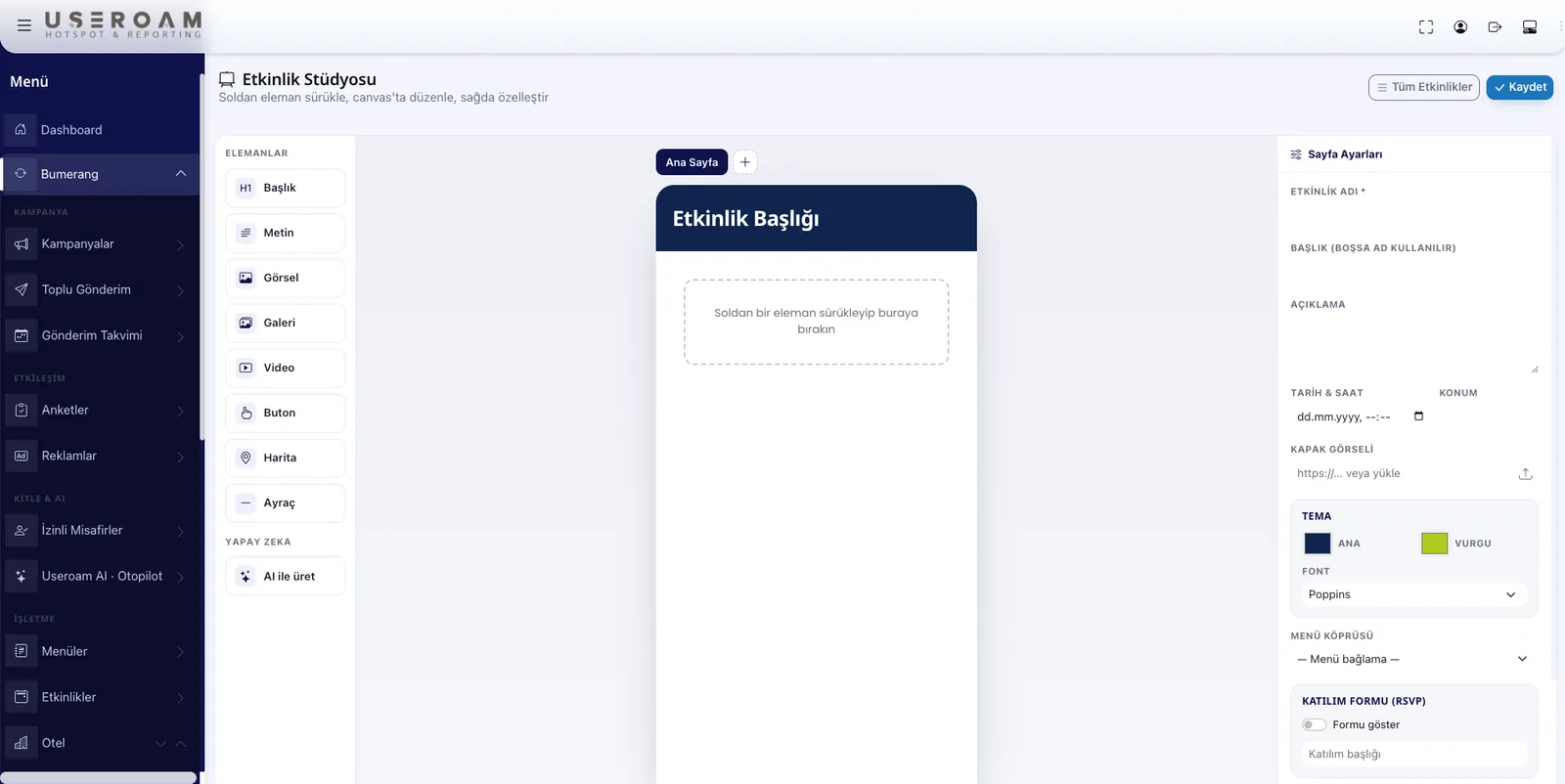
The Event Studio: palette, canvas, preview
Block palette on the left, canvas in the middle, properties on the right — the Event Studio works like a familiar page builder. Pick a theme, drop in RSVP and map blocks, let AI draft the copy, and publish the page in minutes.
Who is it for?
Any venue that offers guest WiFi benefits from events — it works the same in a single location or a multi-branch chain. Instead of posters and print costs, you announce the event to guests who are already in your venue.
Events in three steps
Create
Arrange the blocks in the studio, pick a theme, and let AI write the copy if you like.
Publish and announce
The page goes live and reaches guests via the WiFi login, QR codes and opt-in WhatsApp/SMS sends.
Measure
Who looked, who is coming? Views and RSVPs land in the panel — and attendees become the segment for your next campaign.
The event ends. The data stays.
The attendee list flows into Bumerang: a thank-you to those who came, an invitation to those who missed it, a reminder to those who showed interest — all through consented, opt-in messaging. An event is not a one-off announcement; it is a data source for your marketing.
Set up your next event today.
Let's open the studio together in a demo environment and build your first event page under your own brand.